VoiceForge
Speak. Review. Keep working.
Product showcase
VoiceForge connects microphone capture, transcription and text insertion in a desktop workflow. Start with a shortcut, speak your thought and review the transcript where you are already working.
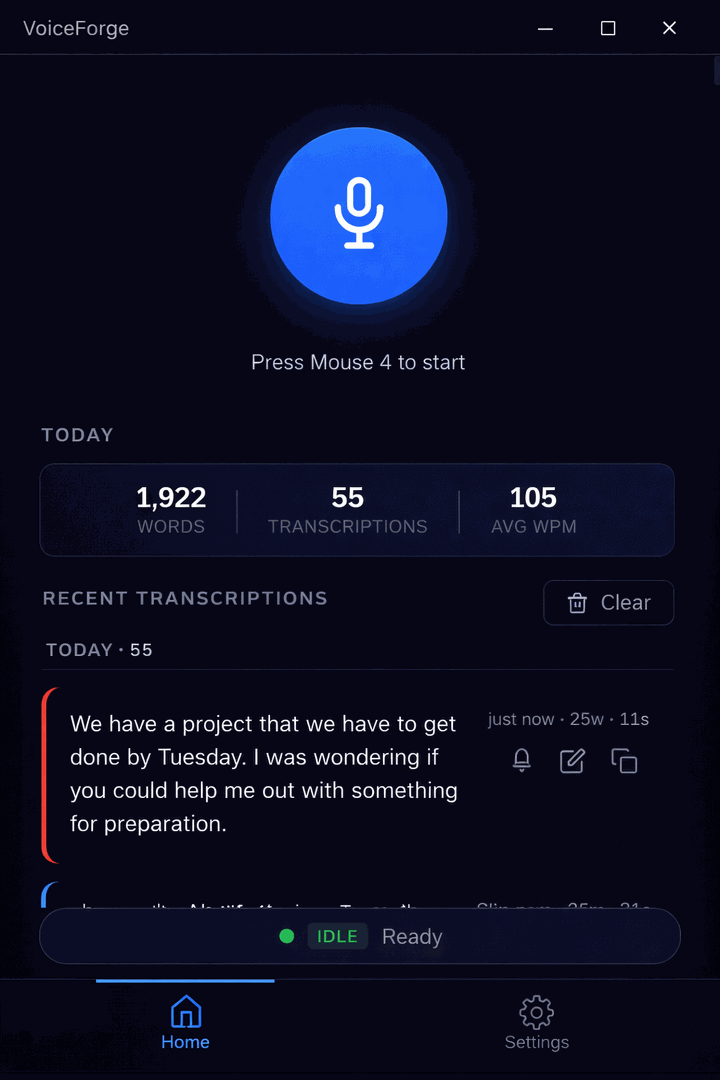
Actual application screen showing recording controls and transcription history.
01
Capture the thought
Use a recording shortcut to dictate a prompt, a message or an explanation.
02
Review the words
Choose local or cloud transcription, then check the result before using or sending it.
03
Keep your vocabulary
Use history and custom corrections to support recurring names, terms and repeated work.
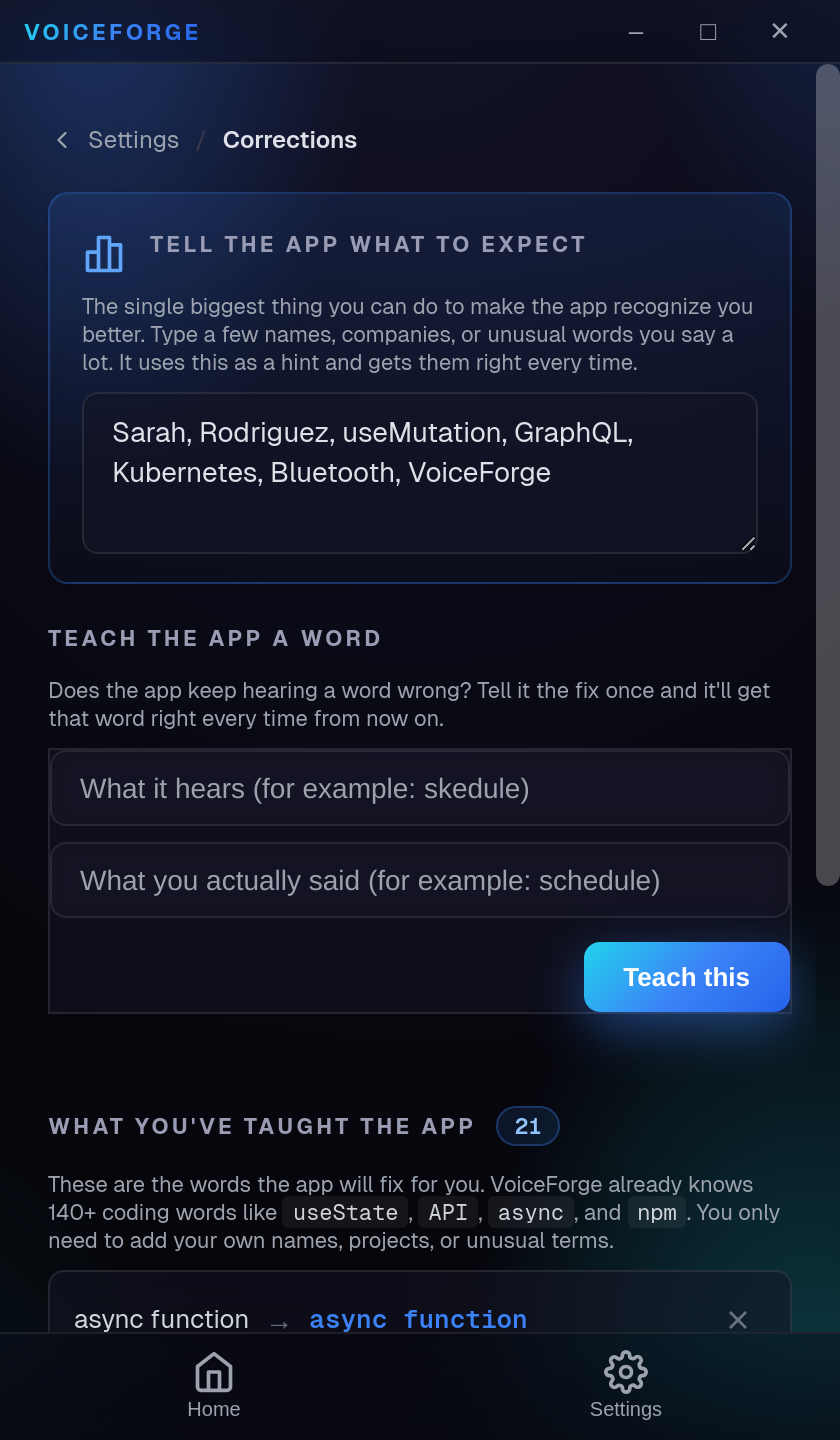
Product focus
A useful dictation tool has to fit around the application a person is already using. Shortcut access, text insertion and correction controls keep the workflow close to the task.
About this project
An independent Redwood Digital product. Matthew’s contribution spans requirements, directing AI-assisted implementation and hands-on review.
Local and cloud processing are separate options. Availability, platform support and purchase details are maintained on the VoiceForge website.
Let’s build something useful.
Tell Matthew what you need your software to do. Open to custom projects and product-building roles.